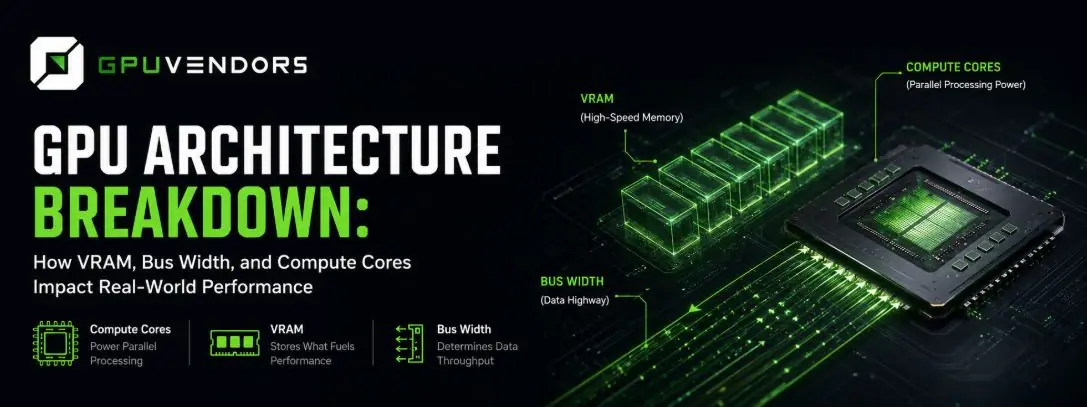
Choosing the right graphics card isn't as simple as picking the highest model number or the biggest VRAM figure on the box. Whether you're building an AI training pipeline, rendering 3D scenes, or pushing ultra-high resolutions in AAA titles, a GPU's real-world performance comes down to how its architecture balances memory bandwidth, core design, and raw compute power, not any single spec in isolation.
This guide breaks down how to actually compare graphics card specs against the architecture behind them, so you can match hardware to your workload instead of overpaying for capacity you'll never use.
1. Memory Bandwidth: Bus Width vs. VRAM Capacity
VRAM is one of the most misunderstood specs on a graphics card, and understanding it is essential to understanding GPU architecture as a whole. Having enough capacity - 16GB, 24GB, 48GB - prevents out-of-memory (OOM) crashes, but capacity alone doesn't tell you how fast that memory actually performs. That's determined by memory bus width, which governs how quickly data moves between the GPU processor and its VRAM.
Narrow bus width (128-bit / 192-bit) Common on mid-range cards like the RTX 3060 and RTX 4060 series. These cards can ship with generous VRAM capacities, but a narrow bus limits how fast that memory can be accessed creating bottlenecks in heavy, memory-intensive workloads even when capacity itself isn't the constraint.
Wide bus width (256-bit / 384-bit / 512-bit) Found on high-end consumer and enterprise cards like the RTX 4090 and RTX 5090. A wider bus delivers the bandwidth needed to sustain high frame rates or run advanced machine learning workloads without the latency drops that come from a memory-starved GPU core.
The lesson: check bus width alongside VRAM capacity, not instead of it. A card with more memory but a narrower bus can still underperform one with less memory and a wider path to it.
2. High-Resolution Gaming & Upscaling Tech
If gaming performance is your priority, resolution is the single biggest driver of hardware requirements. Native 4K (3840×2160) demands roughly four times the pixel-processing power of standard 1080p, which makes high VRAM capacity and strong ray-tracing hardware non-negotiable at the top end.
Related reading: Building a dedicated gaming setup or comparing high-end consumer rigs? Our full breakdown of the Best GPU for 4K Gaming in 2026 covers benchmark comparisons and frame-rate analysis across the top flagship cards.
3. Compute Cores & GPU Architecture Generations
VRAM capacity is only part of the story, the underlying architecture determines efficiency, clock behavior, and how well a card handles specialized workloads. Three core types matter most:
- CUDA / Stream Cores - handle general-purpose parallel computing tasks.
- Tensor Cores - accelerate AI model training, LLM inference, and upscaling frameworks like NVIDIA DLSS.
- Ray Tracing (RT) Cores - handle hardware-accelerated light-bounce calculations for 3D engines and photorealistic rendering.
When comparing cards across generations, an older enterprise card versus a newer consumer GPU, for example architectural efficiency often matters more than raw core count. A newer architecture with fewer cores can outperform an older card with a higher core count simply because each core does more per clock cycle.
4. How to Calculate Your Exact Compute Requirements
Before committing to hardware or a long-term cloud lease, work out your workload's actual memory footprint rather than estimating on instinct.
For local LLMs and AI training: Multiply the model's parameter count by your quantization precision (FP16 vs. INT4, for example), then add roughly 20% overhead for KV cache and context-window growth.
For 3D rendering and VFX: Factor in scene geometry, ultra-HD texture packs, and frame-buffer requirements, these can push memory needs well past what raw resolution alone would suggest.
Try our tool: Not sure how much compute power or VRAM your next project actually needs? Our live GPU Performance & Cost Calculation Tool estimates your exact memory requirements, compares live hourly marketplace rates, and helps you right-size your deployment budget.
Final Verdict: Renting vs. Buying High-End Silicon
With DRAM costs climbing and hardware markups still elevated, buying dedicated GPUs outright isn't always the cost-effective path, especially for workloads that spike and idle rather than run continuously. Comparing live specs and on-demand rates across verified suppliers lets developers and creators scale compute up when a project demands it, and scale back down the moment it doesn't without the sunk cost of hardware sitting unused.
FAQ
What's the most important spec in GPU architecture - VRAM or bus width?
Neither on its own. VRAM capacity prevents out-of-memory errors, while bus width determines how fast that memory can actually be accessed. A GPU with high capacity but a narrow bus can still bottleneck under heavy workloads.
Does more VRAM always mean better performance?
No. A card with less VRAM but a wider memory bus and stronger compute cores can outperform a card with more VRAM but weaker underlying architecture. VRAM capacity and real-world performance aren't the same thing.
What's the difference between CUDA cores, Tensor cores, and RT cores?
CUDA (or stream) cores handle general parallel computing, Tensor cores accelerate AI and machine learning workloads, and RT cores handle ray-tracing calculations for realistic lighting in 3D rendering. A GPU's mix of these cores determines what workloads it's actually good at.
How do I calculate the VRAM I need for AI training?
Multiply your model's parameter count by your quantization precision, then add roughly 20% overhead for KV cache and context growth. This gives a realistic estimate rather than relying on generic hardware recommendations.
Is it better to buy a GPU or rent one for AI and rendering workloads?
For spiky or irregular workloads, renting is usually more cost-effective since you avoid upfront hardware costs and depreciation. For sustained, near-constant usage, buying can make more sense . The right choice depends on your actual utilization pattern.