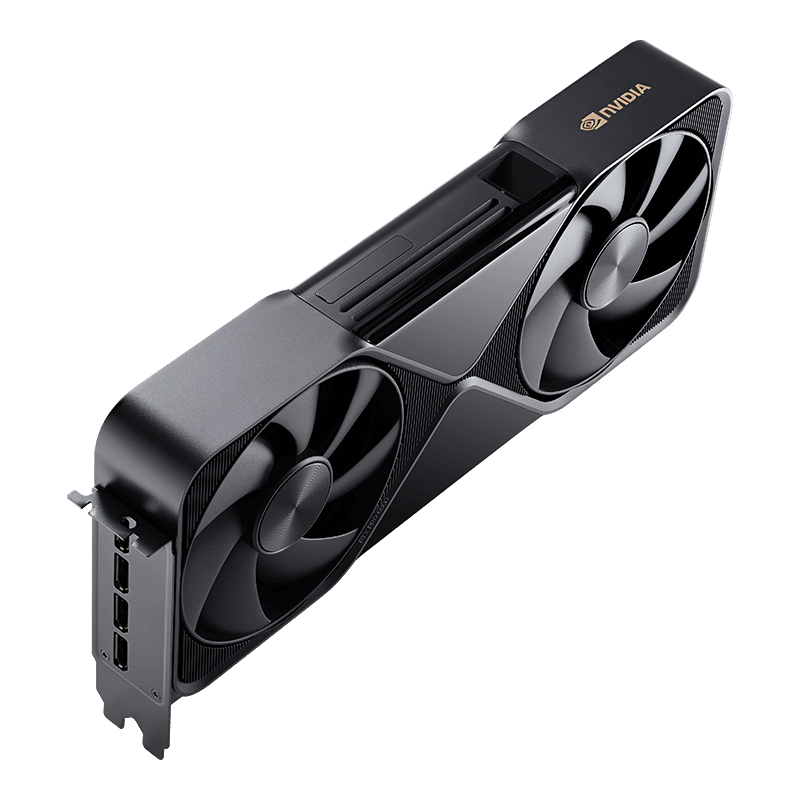
Fine-tuning an open large language model is far more forgiving than pretraining one from scratch. You are not moving trillions of tokens through the network for weeks. You are adapting an existing checkpoint to your data, often in hours. That difference changes the hardware math completely. Where pretraining rewards raw FLOPS and cluster-scale interconnect, fine-tuning is gated first and foremost by VRAM, and secondarily by memory bandwidth and numeric support (FP16/BF16, and increasingly FP8).
The practical consequence: a single professional workstation card can do real work that used to demand a rented cluster. For most ML engineers, researchers, and budget-conscious SMBs or prosumers, the 48GB to 96GB VRAM band is the sweet spot. It is enough to fully fine-tune small models, to run LoRA on mid-size models, and to QLoRA some genuinely large ones. This guide is vendor-neutral and focused on that band. What matters when you buy: total VRAM, whether it is ECC, memory bandwidth, BF16/FP8 support, thermal and form-factor fit for your chassis, and price per usable gigabyte.
How much VRAM do you actually need?
The single most useful thing you can internalize is that your fine-tuning method moves the VRAM requirement more than the model size does. Full fine-tuning updates every weight and stores optimizer states (with Adam, roughly two extra copies of the parameters), so memory scales brutally. Parameter-efficient methods (LoRA) freeze the base weights and train small adapter matrices. QLoRA goes further, loading the frozen base in 4-bit and training adapters on top.
The table below is a rough planning aid, not a guarantee. Real usage depends on sequence length, batch size, optimizer, gradient checkpointing, and framework overhead. Treat these as approximate BF16 figures (QLoRA assumes a 4-bit base) with modest sequence lengths and gradient checkpointing enabled.
| Model size | Full fine-tune (approx) | LoRA (approx) | QLoRA (approx) |
|---|---|---|---|
| 7B | 60-120 GB (multi-GPU) | 16-24 GB | 6-12 GB |
| 13B | 120-200 GB (multi-GPU) | 24-40 GB | 10-18 GB |
| 34B | 300 GB+ (multi-GPU) | 60-90 GB | 20-32 GB |
| 70B | 600 GB+ (multi-GPU) | 140 GB+ (multi-GPU) | 40-48 GB |
Two takeaways. First, full fine-tuning anything above ~7B quickly pushes you into multi-GPU or offload territory. Second, QLoRA is what makes large models tractable on one card: a 70B QLoRA run can fit inside a 48GB board with careful settings, and comfortably inside a 96GB one. Longer context windows and larger batches inflate every number here, sometimes dramatically, because activation memory grows with sequence length.
Specs at a glance
These five cards cover the practical fine-tuning range. Figures are approximate manufacturer specifications and can vary by SKU and revision. Verify against the current datasheet for the exact board you buy.
| Card | Memory | Bandwidth (approx) | TDP | FP16/BF16 note | Form factor | Best for |
|---|---|---|---|---|---|---|
| RTX 6000 Ada | 48GB GDDR6, ECC | ~960 GB/s | 300W | Strong Ada tensor cores, no native FP8 training path as mature as Blackwell | Dual-slot active (workstation) | Workstation LoRA/QLoRA, single-GPU 34B QLoRA |
| RTX PRO 6000 Blackwell | 96GB GDDR7, ECC | ~1.8 TB/s | 600W (server/workstation SKUs) | 5th-gen tensor cores, strong FP8 support | Dual-slot; server passive and workstation active SKUs | Largest single-card VRAM, 70B QLoRA, headroom for context |
| RTX A6000 | 48GB GDDR6, ECC | ~768 GB/s | 300W | Ampere tensor cores, BF16 fine, no FP8 | Dual-slot active | Budget 48GB, mature drivers, quiet workstation builds |
| L40S | 48GB GDDR6, ECC | ~864 GB/s | 350W | Ada tensor cores, FP8 inference-oriented | Dual-slot passive (server) | Rack servers, dense multi-GPU nodes |
| A100 80GB (PCIe) | 80GB HBM2e, ECC | ~2 TB/s | 300W (PCIe); higher on SXM | Mature BF16/TF32, no FP8 | Dual-slot passive (server) | Bandwidth-bound work, full FT of small models, proven scale |
The standouts for fine-tuning specifically: the RTX PRO 6000 Blackwell for sheer 96GB capacity and modern FP8, and the A100 80GB for HBM bandwidth that keeps large tensor operations fed. The RTX 6000 Ada and A6000 are the workstation workhorses. The L40S is essentially the Ada silicon in a passive server shroud.
Full fine-tuning vs LoRA/QLoRA
Parameter-efficient fine-tuning (PEFT) is the default for a reason. LoRA trains a tiny fraction of the total parameters, so optimizer state and gradient memory shrink to a rounding error against the frozen base. QLoRA adds 4-bit quantization of that frozen base, cutting the static weight footprint roughly fourfold. Together they let a 48GB card touch models that would otherwise need a server rack, and quality for many downstream tasks (instruction following, domain adaptation, style, tool use) is competitive with full fine-tuning.
Full fine-tuning still earns its keep in specific cases. When you need to shift the model's core behavior substantially, when you are training on a large, high-quality corpus and want every weight to move, when you are distilling or heavily re-aligning, or when tiny quality deltas matter commercially, full FT can pull ahead. The cost is memory: you store the model, the gradients, and the optimizer states, so plan on several times the model's raw size and, above ~7B, plan on multiple GPUs or aggressive offload. A reasonable rule of thumb for teams: start with QLoRA to validate the data and objective, then graduate to full FT only if evaluation shows the adapter is leaving measurable quality on the table.
Single-GPU vs multi-GPU
The first question is not "how many GPUs" but "does the job fit in one." A single card avoids the entire class of problems that comes with sharding: no cross-GPU communication overhead, no sharding strategy to tune, simpler debugging, and no NVLink dependency. This is why one 96GB RTX PRO 6000 Blackwell often beats two 48GB cards for fine-tuning. If the model, optimizer, and activations fit in 96GB, you get full bandwidth to all of it and none of the interconnect tax. Two 48GB cards give you the same nominal VRAM only if your framework can shard cleanly, and they add communication cost on every step.
When you do need to scale, the tools are mature. PyTorch FSDP and DeepSpeed ZeRO shard parameters, gradients, and optimizer states across GPUs, and both can offload optimizer state (and even parameters) to CPU RAM or NVMe to trade speed for capacity. That offload is how people full-fine-tune large models on modest hardware, slowly but successfully.
One important caveat on workstation cards: NVLink availability has narrowed. The A6000 (Ampere) supported an NVLink bridge, but newer Ada and Blackwell professional desktop cards have largely dropped the connector, so multi-GPU communication falls back to PCIe. That makes bandwidth-heavy sharding less efficient on the newest workstation boards and is a strong argument, when your budget allows, for consolidating into one high-VRAM card rather than pairing two smaller ones.
Workstation/prosumer vs data-center cards
The RTX 6000 Ada, RTX PRO 6000 Blackwell (workstation edition), and RTX A6000 are built to live in a tower under a desk. They ship with active blower or axial coolers, run on standard workstation power, and pair with Studio/professional drivers tuned for stability. For a solo researcher or a small team, that is exactly right: plug it in, install CUDA, start training.
The L40S and A100 are data-center parts. They are typically passively cooled, meaning they have no fan of their own and rely on high-static-pressure airflow from a server chassis. Drop a passive card into a quiet desktop and it will overheat. In exchange, they are engineered for 24/7 duty cycles, dense multi-GPU nodes, and rack-scale airflow, and the A100 brings HBM2e bandwidth that the GDDR6 workstation cards cannot match.
ECC memory is standard across all five of these professional and data-center boards, which matters for multi-hour training runs where a single bit flip can silently corrupt a gradient. That is one of the clearest lines separating this class of hardware from consumer gaming cards. When you choose, match the card to the chassis: active-cooled workstation cards for towers, passive server cards only for servers with the airflow to feed them.
Price and value
We will not quote exact street prices here, because they move week to week and vary by region and vendor. The useful framing is tiers. The RTX A6000 sits at the accessible end of 48GB professional cards and is often the best value per gigabyte for LoRA and QLoRA work. The RTX 6000 Ada is a step up in performance and efficiency at 48GB. The L40S occupies a similar capacity tier but in server form. The A100 80GB commands a premium for its HBM bandwidth and proven scale. The RTX PRO 6000 Blackwell, with 96GB and current-generation tensor cores, is the priciest of the group and also the most capable single card for large-model fine-tuning.
For occasional runs, buying may not make sense at all. Cloud rental lets you spin up an A100 or an RTX PRO 6000 for a weekend of experiments and pay only for the hours. The breakeven depends on your utilization: heavy, continuous use favors buying; sporadic use favors renting. To put real numbers against your own workload, use the rent-vs-buy calculator.
Recommendations by budget/scale
Solo / hobbyist / prosumer. Prioritize VRAM per dollar and a card that fits a normal tower. A single RTX A6000 (48GB) is a strong starting point for LoRA and QLoRA across 7B to 34B models, and it can QLoRA a 70B with careful settings. If your budget stretches and you want future-proofing plus FP8, one RTX 6000 Ada is the upgrade.
Startup / small team. You want reliability and room to grow. One RTX PRO 6000 Blackwell (96GB) covers the widest range of jobs on a single card, including comfortable 70B QLoRA and generous context. Alternatively, a pair of RTX 6000 Ada cards gives you 96GB of aggregate VRAM plus the option to run two experiments in parallel, at the cost of PCIe-bound sharding when you combine them.
Research lab / serious multi-GPU. Go server-class. L40S nodes are a cost-effective way to build dense capacity, and A100 80GB systems bring the HBM bandwidth and NVLink/SXM scaling that full fine-tuning of larger models needs. Standardize on FSDP or DeepSpeed and treat CPU/NVMe offload as your capacity release valve.
Compare live prices from verified vendors
- NVIDIA RTX 6000 Ada Generation
- NVIDIA RTX PRO 6000 Blackwell (96GB)
- NVIDIA RTX A6000 48GB
- NVIDIA L40S 48GB
- NVIDIA A100 80GB
- Browse all AI GPUs
FAQ
Can I fine-tune a 70B model on one GPU? With QLoRA, yes. A 70B QLoRA run can fit in a single 48GB card under careful settings (short-to-moderate context, gradient checkpointing, small batch), and fits more comfortably on a 96GB RTX PRO 6000 Blackwell with room for longer context. Full fine-tuning a 70B on one GPU is not realistic; that needs multi-GPU sharding or heavy offload.
Is 24GB enough for fine-tuning? For QLoRA on small-to-mid models, yes. A 24GB card handles QLoRA on 7B and 13B comfortably and can reach into larger models with tight settings. It is limited for LoRA on bigger models and not suited to full fine-tuning beyond the smallest checkpoints. The 48GB and up class exists precisely to remove those ceilings.
How much VRAM does QLoRA actually save? QLoRA loads the frozen base model in 4-bit, cutting the static weight footprint roughly fourfold versus BF16, and it trains only small adapters, so optimizer and gradient memory stay tiny. In practice that turns a job that would need 140GB+ (a 70B in BF16) into something that fits in the 40-48GB range.
Do I need ECC memory? For long training runs, it is strongly advisable, and all five cards in this guide have it. ECC catches and corrects single-bit memory errors that could otherwise silently corrupt a multi-hour run. It is one of the practical reasons to choose professional or data-center cards over consumer boards for serious fine-tuning.
Should I buy a passive server card for my desktop? No. The L40S and A100 are passively cooled and depend on server chassis airflow. In a standard tower they will overheat. Use active-cooled workstation cards (A6000, RTX 6000 Ada, RTX PRO 6000 Blackwell workstation edition) for desktops, and reserve passive server cards for servers.
Is FP8 worth caring about for fine-tuning? It is increasingly relevant. FP8 support on the RTX PRO 6000 Blackwell (and the FP8-capable Ada parts) can speed up training and reduce memory pressure, though tooling maturity varies by framework. BF16 remains the dependable default; treat FP8 as a bonus that the newest cards let you exploit as software support solidifies.